Screen Break System for Focus, Eyes, and Posture
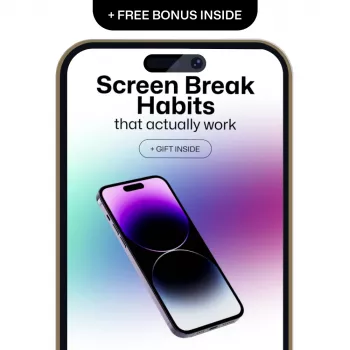
Screen Break Habits That Actually Work: A Practical System for Focus, Eye Comfort, and Digital Balance
Long stretches of screen time can quietly drain attention, stiffen the body, and leave eyes feeling dry or tired. The most effective screen breaks are simple, repeatable, and tied to natural work rhythms—not willpower. Below is a practical break system you can run on busy days to protect focus, support eye comfort, and feel more balanced around devices.
Why screen breaks fail (and what makes them stick)
Most break plans fail for predictable reasons. “Take breaks more often” is too vague; it doesn’t tell your brain when to act. Breaks also fail when they feel like a productivity penalty—something that slows you down rather than makes work easier.
Break habits stick when they’re triggered by clear cues (a repeating timer, the end of a meeting, or a task boundary like hitting “send”). They also stick when you can feel the payoff: fewer rereads, fewer silly mistakes, faster decisions, and a calmer mood. Finally, breaks succeed when you remove friction ahead of time—water already on your desk, a tiny stretch list nearby, and one-click access to a “break” bookmark folder.
Think short and consistent. A 20–90 second reset you actually do beats a perfect 10-minute break you rarely take.
The core routine: micro-breaks, mini-breaks, and recovery breaks
Instead of one “ideal” break, use three break sizes and mix them across the day.
Micro-break (20–60 seconds)
Reset eyes, jaw, and shoulders: look far away, blink fully, drop your shoulders, and exhale slowly. Micro-breaks are designed to be so small they’re hard to skip.
Mini-break (3–7 minutes)
Stand up, walk to another room, refill water, step outside briefly, or run a light mobility sequence. These breaks reduce stiffness and restore alertness.
Recovery break (15–30 minutes)
A real reset: a meal away from screens, outdoor daylight, a short non-screen rest, or a low-stimulation activity. Aim for at least one when possible.
Try for a daily mix rather than perfection: frequent micro-breaks, a few mini-breaks, and one recovery break when your schedule allows.
Break menu by situation
| Situation | Best break type | What to do | Why it helps |
|---|---|---|---|
| Back-to-back meetings | Micro-break | Stand up, roll shoulders, relax jaw, 5 slow breaths, refocus eyes on a distant point | Reduces tension build-up and refreshes attention quickly |
| Deep work block (45–90 min) | Mini-break | Walk to another room, drink water, light stretch for neck/hips | Restores alertness and reduces stiffness |
| Eye fatigue or dryness | Micro-break | Look 20+ feet away for 20 seconds, blink slowly 10 times, adjust screen brightness | Encourages tear film stability and relaxes focusing muscles |
| Afternoon slump | Recovery break | Step outside for daylight, short walk, snack away from screens | Improves energy and helps reset circadian and stress signals |
| Scrolling or app-hopping | Mini-break | Put phone down, change posture, do a 2-minute tidy or refill water | Interrupts autopilot behavior and restores intentional use |
Eye-friendly habits that don’t slow the day down
Eye comfort usually improves when breaks include two simple ingredients: distance and blinking.
For clinical background and prevention tips, the American Academy of Ophthalmology and the National Eye Institute both outline practical, evidence-aligned guidance for healthy vision habits.
Focus resets: break habits that protect momentum
Posture and body refresh: the overlooked screen break
- Alternate positions. Rotate between sitting, standing, and brief walking breaks to reduce continuous load on the same tissues.
- Try desk-friendly mobility. Gentle neck rotations, chest opening, hip flexor stretches, and wrist/forearm release can help counter the “screen posture” pattern.
- Use a simple trigger. Each time a call ends, stand up before opening the next tab or joining the next meeting.
- Pay attention to persistent symptoms. If pain, tingling, or headaches are frequent, professional guidance can help rule out underlying issues and optimize ergonomics. The CDC ergonomics resources offer a helpful overview of workstation-related strain.
Make it automatic: cues, timers, and environment design
A practical plan for a typical screen-heavy day
A guided approach for building screen break habits
If you want a step-by-step routine with ready-to-use break menus and a simple habit-building framework, Screen Break Habits That Actually Work (ebook) turns the system into an easy daily playbook.
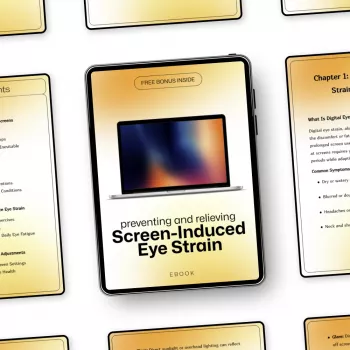
For days when eye discomfort is the main bottleneck, Preventing and Relieving Screen-Induced Eye Strain (ebook) pairs well with the break routine, especially if dryness and visual fatigue show up regularly.
FAQ
How often should screen breaks happen during a busy workday?
Layer frequent micro-breaks (20–60 seconds) throughout the day with a few mini-breaks (3–7 minutes) and at least one longer recovery break when possible. Consistency matters more than perfectly timed intervals.
What is a good screen break if there’s no time to get up?
Do a quick eye reset (look far away for 20 seconds and add a few slow blinks), then relax your jaw, drop your shoulders, and take 3–5 slow breaths. It takes under a minute and still reduces tension and visual load.
Do screen breaks actually help with eye strain?
Yes—looking away relaxes focusing effort, and deliberate blinking can help with dryness that builds during screen use. If symptoms are persistent or worsening, consider professional advice and review your screen setup for comfort.













Leave a comment