Screen Eye Strain Fix: 20-20-20, Setup, and Quick Relief

Screen-Induced Eye Strain: Practical Steps to Prevent and Relieve Discomfort
Long hours on laptops, phones, and tablets can trigger tired, dry, blurry, or irritated eyes—often paired with headaches and neck/shoulder tension. The good news: small, repeatable changes to habits, screen setup, and environment can make a noticeable difference within days, especially when combined into a simple daily routine.
What Screen-Induced Eye Strain Feels Like (and Why It Happens)
Screen-induced eye strain (often grouped under “computer vision syndrome”) commonly shows up as dry or watery eyes, burning, a gritty sensation, blurred or fluctuating focus, light sensitivity, headaches, heavy eyelids, and trouble refocusing from near to far. It can also feel like “pressure” around the eyes—especially when posture and lighting are working against you.
Several factors tend to stack together:
- Reduced blink rate: Concentrating on screens often cuts blinking, which speeds up tear evaporation and dryness.
- Sustained near focus: Holding close focus for long stretches taxes the eye’s focusing system and can cause temporary blur afterward.
- Visual friction: Glare, poor contrast, small text, and an awkward viewing distance force constant micro-squinting.
- Ergonomics spillover: Neck/shoulder tension from leaning forward or poor monitor height can amplify headaches that feel “eye-related.”
Quick Symptom Check: Likely Triggers and Fast Fixes
| What you notice | Most common trigger | Try this today |
|---|---|---|
| Dry, burning, gritty eyes | Not blinking enough; dry air | Blink reset (10 slow blinks every 20 minutes); add a humidifier or move vents away from face |
| Blurred vision after screen time | Sustained near focus; small text | Increase text size; follow 20-20-20 breaks; check viewing distance |
| Headache behind eyes | Glare, brightness mismatch, uncorrected vision | Reduce glare; match screen brightness to room; consider an eye exam if persistent |
| Watery eyes | Dryness reflex tearing | Increase blinking; adjust airflow; consider preservative-free artificial tears if needed |
| Shoulder/neck pain with eye fatigue | Poor monitor height; leaning forward | Top of screen at or slightly below eye level; sit back; support forearms |
A Daily Routine That Prevents Eye Strain
A repeatable routine reduces guesswork. The goal isn’t perfection—it’s lowering daily “eye load” in small, reliable ways.
- Start-of-day setup (2 minutes): Increase text size or zoom so reading feels easy without squinting. Set comfortable contrast and brightness before you start grinding through tasks.
- Use the 20-20-20 pattern: Every 20 minutes, look at something about 20 feet away for 20 seconds. Add a few slow blinks to re-wet the eye surface.
- Schedule focus shifts: Alternate near tasks (editing, coding, spreadsheets) with mid-distance tasks (standing to review notes, whiteboard, or printed pages) to reduce sustained near demand.
- Hydration and micro-movement: Take a sip of water during breaks and roll shoulders/relax the jaw. Upper-body tension often masquerades as eye discomfort.
- End-of-day wind-down: Spend 5–10 minutes away from screens before bed. Dimming lights and reducing late-night glare can ease sensitivity and make eyes feel calmer.
Optimize Screen, Lighting, and Room Conditions
A few physical tweaks can deliver fast relief—especially if symptoms spike in the afternoon.
- Viewing distance: Place monitors roughly an arm’s length away. If you find yourself leaning in, increase text size first, then reassess distance.
- Monitor height: Aim for the top of the screen at or slightly below eye level. This can reduce eye surface exposure (which helps dryness) and encourages a more neutral neck position.
- Lighting: Avoid bright overhead glare and position screens perpendicular to windows. Use blinds or curtains to control daylight shifts.
- Brightness match: Screen brightness should be similar to your surrounding light—not dramatically brighter or dimmer.
- Reduce reflections: Reposition the screen, adjust the angle, or use anti-glare options to cut down constant squinting.
- Contrast and text clarity: Choose comfortable fonts, bump up line spacing, and use the background/text combination that feels easiest to read for long stretches.
For additional guidance, these references are helpful: American Academy of Ophthalmology (AAO) — Computer Vision Syndrome, American Optometric Association (AOA) — Computer Vision Syndrome, and the NIOSH/CDC ergonomics resources.
Relief Strategies When Symptoms Flare Up
Glasses, Contacts, and When to Get an Eye Exam
A Guided Plan to Put It All Together
Recommended downloads and workspace support
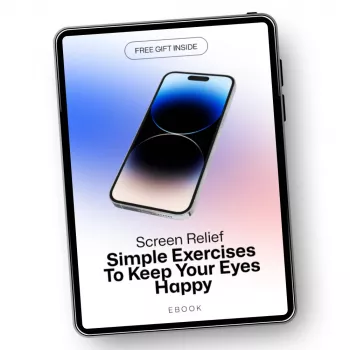
- Preventing and Relieving Screen-Induced Eye Strain – Practical eBook Guide (Digital Download) (a structured plan with routines and checklists)
- Modern Chic Cream Single Sofa Chair (comfortable seating can make it easier to maintain posture and reduce neck/shoulder tension)
- TikTok Sprint Blueprint: Your 7-Step Weekly Content Checklist (+ Bonus Gift!) (a weekly structure that can help batch work and limit endless screen hours)
One-Week Reset Plan (Example)
| Day | Primary change | What to track |
|---|---|---|
| 1 | Fix brightness/glare and text size | Squinting frequency; headache intensity (0–10) |
| 2 | Add 20-20-20 breaks + blink reset | Dryness level; blur after breaks |
| 3 | Adjust monitor height and distance | Neck/shoulder tension; leaning forward |
| 4 | Improve room humidity/airflow | Burning/grittiness; watery eyes |
| 5 | Refine lighting setup (window/lamps) | Glare moments; eye fatigue by afternoon |
| 6 | Add end-of-day screen wind-down | Evening sensitivity; sleep quality |
| 7 | Review patterns and keep the best 3 habits | Overall symptom trend; easiest habits to maintain |
FAQ
How long does screen-induced eye strain usually last?
Symptoms often improve within hours after stopping screen use. With consistent setup changes and break habits, many people notice meaningful improvement within a few days; persistent or worsening symptoms deserve an eye exam.
Do blue light glasses prevent eye strain?
They can improve comfort for some people, especially with evening light exposure, but glare reduction, text size, regular breaks, and dryness management typically make a bigger difference.
What is the fastest way to relieve dry, irritated eyes from screens?
Try a blink reset plus a short distance break (look across the room for 60 seconds). Reduce airflow toward your face, and consider preservative-free lubricating drops if appropriate to help stabilize the tear film.














Leave a comment